FLASH Juego de estudio con IA
Mira las respuestas antes de la pregunta. Cuando desaparezcan, toca donde estaba la correcta. Elige cuánto tiempo verlas y responde a tu ritmo.
Gratis · Sin tarjeta de crédito
Acerca de FLASH
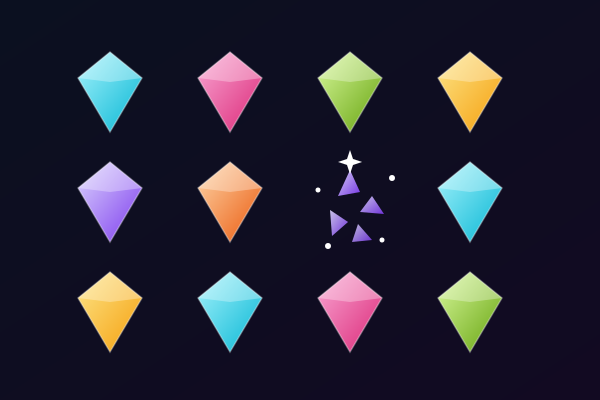
FLASH cambia el orden de un quiz normal. Primero, las posibles respuestas aparecen en distintas posiciones del área de juego. Tienes un breve momento para leerlas y recordar dónde está cada una. Después, las respuestas desaparecen y la pregunta aparece encima del tablero. Lee la pregunta, piensa cuál es la respuesta correcta y toca el lugar donde recuerdas haberla visto. Durante esta parte de la ronda no hay botones de respuesta visibles. Para elegir, usas tanto lo que sabes del tema como lo que recuerdas de las posiciones.
Antes de empezar, elige una velocidad de visualización. Rápido muestra las respuestas durante dos segundos, Normal durante tres y Tranquilo durante cinco. La velocidad elegida solo controla cuánto tiempo siguen visibles las respuestas: no hay cronómetro mientras lees la pregunta o eliges una posición. Así puedes hacer el reto de memoria visual más rápido o más lento sin tener que responder con prisas. Las tarjetas de respuesta aparecen en posiciones libres y cambian de sitio entre preguntas. Una misma respuesta no se queda en una esquina conocida, así que mira de nuevo todo el tablero cada vez.
Una sesión usa hasta diez preguntas de opción múltiple adecuadas de tu conjunto de estudio. Cuando tocas, FLASH revela dónde estaban las respuestas y muestra cuál era la correcta. Una elección correcta te da una estrella si la recordaste sin volver a mirar. Si necesitas ayuda, muestra otra vez las respuestas y termina esa pregunta como práctica, sin estrella. Fallar una respuesta no termina la sesión. Sigue con la siguiente pregunta y después usa los resultados para repasar lo que fallaste. Puedes volver a jugar con posiciones nuevas o regresar a la pantalla de inicio para cambiar la velocidad de visualización.
FLASH funciona con tus preguntas de estudio, así que el contenido puede cambiar según la materia que estés aprendiendo. Las opciones de respuesta claras y bien diferenciadas son las más fáciles de leer en la breve fase de visualización. El vocabulario corto, los nombres, los términos científicos y las fechas son buenos puntos de partida. Si una respuesta necesita más espacio del que ofrece tu pantalla, puedes usar una pantalla más grande o saltar esa pregunta. Puedes tocar la pantalla en un teléfono, hacer clic con el ratón o mover el punto de selección con las flechas y pulsar Intro. Prueba las preguntas de ejemplo desde la página de vista previa y, cuando quieras una sesión creada a partir de tus apuntes, carga tu propio material.
Para quién es FLASH
Estudiantes que disfrutan de retos cortos de memoria visual mientras practican con preguntas. Las velocidades de visualización ajustables y las respuestas sin límite de tiempo te permiten elegir cuánta presión quieres al recordar las posiciones de las respuestas.
Mejores materias para estudiar con FLASH
Vocabulario
Las palabras cortas y los significados bien diferenciados se repasan fácilmente con la vista durante la fase de visualización y se recuerdan bien cuando aparece la pregunta.
Terminología científica
Practica cómo elegir entre conceptos relacionados mientras recuerdas dónde aparecieron sus nombres.
Historia y geografía
Personajes, fechas, países y lugares son opciones de respuesta claras para un breve reto de memoria.
Repaso para exámenes
Usa una sesión corta de hasta diez preguntas para repasar un conjunto de estudio y revisa las respuestas falladas antes de volver a jugar.
Cómo jugar a FLASH
Respuestas en posiciones libres que después quedan ocultas
Elige 2, 3 o 5 segundos para recordar las respuestas
Hasta 10 preguntas sin límite de tiempo para responder
Vuelve a ver las respuestas para practicar y repasa tus errores
Lo que aprenderás
Recuperación activa
Cada pregunta obliga a tu cerebro a recuperar información activamente, fortaleciendo vías neuronales y memoria a largo plazo.
Retroalimentación inmediata
Sabes al instante si tu respuesta fue correcta. La IA explica la respuesta correcta cuando fallas, convirtiendo errores en aprendizaje.
Motivación gamificada
Puntos, rachas y sistemas de progresión te mantienen enganchado más que el estudio tradicional. Estudias más porque se siente como jugar.
Cualquier materia
Sube cualquier material: biología, historia, matemáticas, idiomas, prep de exámenes. Si está en tus apuntes, se convierte en juego.
Detalles del juego
¿Listo para jugar a FLASH?
Sube tus apuntes, deja que la IA genere preguntas y empieza a jugar en menos de 2 minutos. Funciona con cualquier materia.
Sin tarjeta de crédito · Plan gratis disponible