FLASH Jeu de révision par IA
Découvre les réponses avant la question. Quand elles disparaissent, touche l’endroit où se trouvait la bonne. Choisis la durée d’affichage et réponds à ton rythme.
Gratuit · Sans carte bancaire

À propos de FLASH
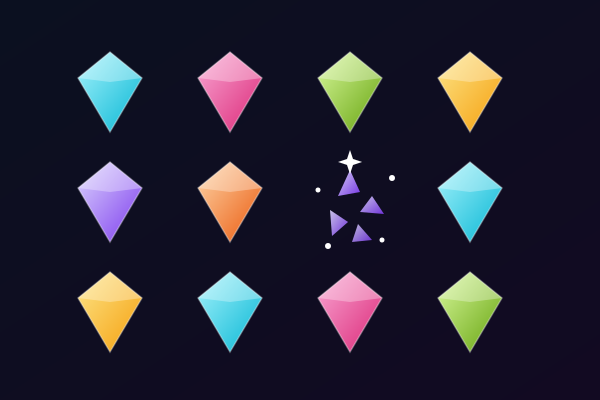
FLASH change l'ordre d'un quiz classique. D'abord, les réponses possibles apparaissent à différents endroits de l'aire de jeu. Tu as un court instant pour les lire et retenir où se trouve chacune d'elles. Ensuite, les réponses disparaissent et la question s'affiche au-dessus du plateau. Lis-la, trouve quelle réponse est correcte et touche l'endroit où tu te souviens de l'avoir vue. Aucun bouton de réponse n'est visible pendant cette partie de la manche. Pour faire ton choix, tu t'appuies à la fois sur ce que tu sais de la matière et sur ce dont tu te souviens des positions.
Choisis une vitesse d'affichage avant de commencer. Rapide montre les réponses pendant deux secondes, Normal pendant trois et Calme pendant cinq. La vitesse choisie règle seulement la durée d'affichage des réponses : il n'y a aucun compte à rebours quand tu lis la question ou choisis un endroit. Tu peux donc rendre le défi de mémoire visuelle plus rapide ou plus lent sans que la question elle-même te mette la pression. Les cartes réponses apparaissent à des positions libres et changent de place d'une question à l'autre. Une même réponse n'est pas liée à un coin familier : regarde bien tout le plateau à chaque fois.
Une partie utilise jusqu'à dix questions à choix multiple adaptées, tirées de ta série de révision. Dès que tu touches un endroit, FLASH révèle l'emplacement des réponses et montre laquelle était correcte. Une bonne réponse rapporte une étoile si tu l'as retrouvée de mémoire, sans jeter un nouveau coup d'œil. Si tu as besoin d'aide, affiche à nouveau les réponses et termine cette question en entraînement, sans étoile. Rater une réponse ne met pas fin à la partie. Passe à la question suivante, puis sers-toi des résultats pour revoir ce que tu as raté. Tu peux rejouer avec de nouvelles positions ou revenir à l'écran de départ pour changer la vitesse d'affichage.
FLASH fonctionne avec tes questions de révision, donc le contenu change selon la matière que tu apprends. Des réponses claires et bien distinctes sont les plus faciles à lire pendant la courte phase d'affichage. Le vocabulaire court, les noms, les termes scientifiques et les dates sont de bons points de départ. Si une réponse demande plus de place que ton écran n'en offre, tu peux utiliser un écran plus grand ou passer cette question. Tu peux toucher l'écran sur un téléphone, cliquer avec une souris, ou déplacer le point de sélection avec les flèches et appuyer sur Entrée. Essaie les questions d'exemple depuis la page de présentation, puis charge ton propre contenu quand tu es prêt pour une partie construite à partir de tes notes.
À qui s'adresse FLASH
Les élèves qui aiment les petits défis de mémoire visuelle en plus de l'entraînement au quiz. Les vitesses d'affichage réglables et les réponses sans chrono te laissent choisir quelle pression tu veux mettre sur la mémorisation des positions.
Meilleures matières à réviser avec FLASH
Vocabulaire
Des mots courts aux sens bien distincts se parcourent vite pendant la phase d'affichage et se retrouvent facilement quand la question apparaît.
Vocabulaire scientifique
Entraîne-toi à choisir entre des notions proches tout en retenant où leurs noms sont apparus.
Histoire-géographie
Personnages, dates, pays et lieux font des réponses bien nettes pour un court défi de mémoire.
Révisions d'examen
Fais une courte partie de dix questions maximum pour revoir une série de révision, puis reprends les réponses ratées avant de rejouer.
Comment jouer à FLASH
Des réponses placées librement, puis masquées
Choisis 2, 3 ou 5 secondes pour retenir les réponses
Jusqu’à 10 questions sans limite de temps pour répondre
Revois les réponses pour t’entraîner et reviens sur tes erreurs
Ce que vous allez apprendre
Rappel actif
Chaque question oblige votre cerveau à retrouver activement l'information, renforçant les connexions neuronales et la mémoire à long terme.
Retour immédiat
Sachez instantanément si votre réponse est correcte. L'IA explique la bonne réponse en cas d'erreur, transformant chaque faute en moment d'apprentissage.
Motivation ludique
Points, séries et systèmes de progression vous maintiennent concentré bien plus longtemps que la révision traditionnelle. Vous étudiez davantage parce que ça ressemble à un jeu.
Toutes les matières
Importez n'importe quel support de cours : biologie, histoire, mathématiques, langues, préparation aux examens. Si c'est dans vos notes, ça devient un jeu.
Détails du jeu
Prêt à jouer à FLASH ?
Importez vos notes de cours, laissez l'IA générer des questions et commencez à jouer en moins de 2 minutes. Compatible avec toutes les matières.
Sans carte bancaire · Formule gratuite disponible