Study Sweep AI study game
Help your goblin restore a reading room, a greenhouse, and a space studio. Each has 24 cleanup and repair jobs, with a study question after every three. Unlock tools as you work and compare each room before and after.
4.38 / 5 (50)
Free to play · No credit card required
About Study Sweep
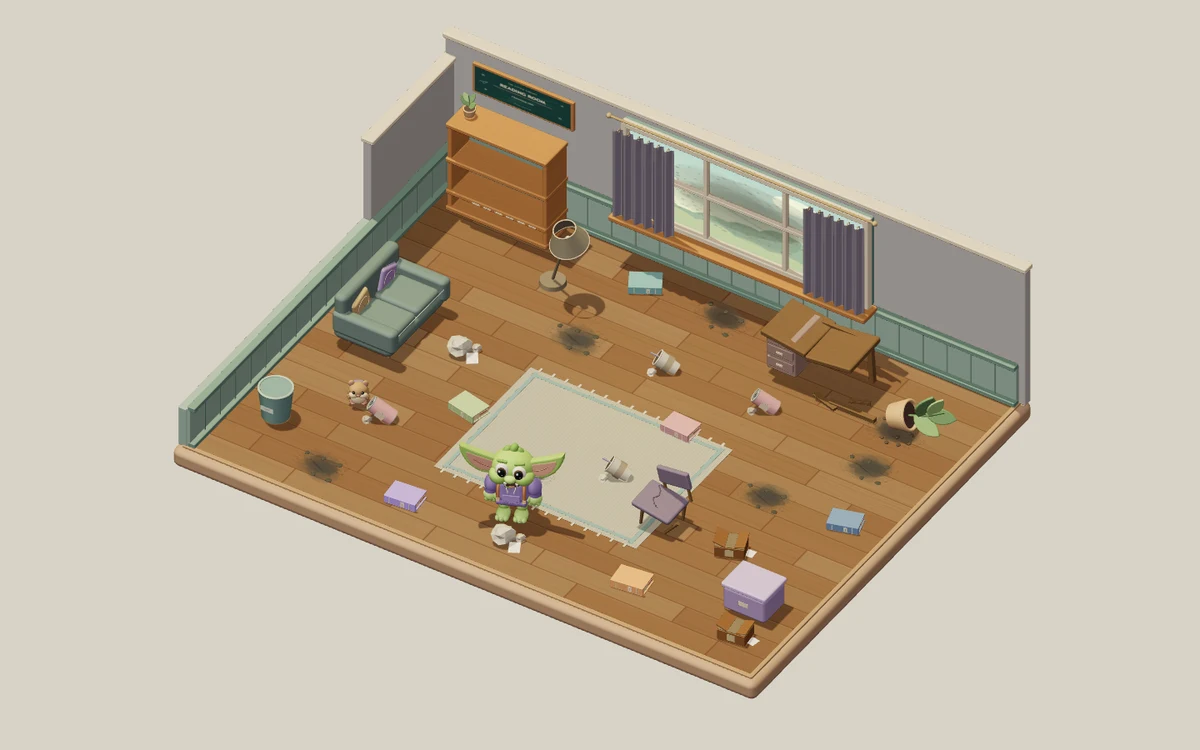
Study Sweep: Room Rescue takes you through three authored 3D spaces: the Reading Room, Secret Greenhouse and Space Studio. A small goblin helps you restore each one before you move to the next. Every room has 24 visible jobs: eight pieces of rubbish, six misplaced books, six patches of dust and four furniture repairs. Clear the floor, put books away and make the furniture useful again. Each finished job changes what you see and advances the restoration counter. Complete the Reading Room to enter the Secret Greenhouse, then restore the Space Studio to finish the full 72-job journey.
Your study questions continue throughout the cleanup. Each new room starts with three jobs available before a study break. After every three completed jobs, answer one question correctly to ready the next three. Finishing the last job in a room takes you to its results without another question. Dust and damaged furniture also need tools: two correct answers unlock the Dust Buster, and two unlock the Repair Kit. Rubbish and books need no special tool. A tool unlock readies three more jobs, and both tools stay unlocked as you move between rooms. The recurring study breaks continue after you have unlocked them.
All questions come from your selected StudyQuest deck, which continues across the three rooms along with your learning journal. The room pauses while you read, answer or use a menu, with no countdown on your reading time. A wrong answer shows the correct answer and offers an explanation before you continue; it does not advance tool training or let you skip a required study break. Your journal records the questions you encountered and their correct answers, including those that need another look. Correct answers earn XP through StudyQuest. The room themes and objects are authored, real-time 3D environments, while your chosen material supplies the questions and learned concepts.
Click the floor to walk, or click a job and the goblin approaches it and starts the appropriate work when it is available. Keyboard controls let you move with WASD or the arrow keys and work nearby with E. On a touchscreen, tap jobs or use the movement stick. The pause menu includes sound and reduced-motion controls. When all 24 jobs in a room are done, compare its Before and After views, review your journal and continue to the next room. Your tools and study progress come with you. The adventure is complete after all three rooms and all 72 jobs are restored. You can then enjoy the finished space or replay from the Reading Room with a fresh restoration and the same selected study material.
Who It's For
Students who want regular untimed study questions between visible cleanup and repair tasks. Three room themes, individual 24-job checklists and Before/After comparisons give the solo journey clear stages.
Study Set Ideas
Vocabulary and definitions
Short recall prompts fit the recurring question breaks between groups of three restoration jobs.
Science concepts
The room pauses during questions, leaving time to compare terms and read the explanation after a mistake.
History and social studies
Questions about people, events and ideas from your notes can be reviewed between visible restoration jobs.
Mixed exam review
The same study deck and learning journal continue through all three rooms, keeping earlier questions available for review.
How to Play Study Sweep
Three themed rooms and 72 cleanup and repair jobs
One correct answer after every three jobs keeps learning going
Tool unlocks and your learning journal carry between rooms
No timer: read at your own pace and enjoy each finished room
What You'll Learn
Active Recall
Every question forces your brain to actively retrieve information, strengthening neural pathways and long-term memory.
Instant Feedback
Know immediately whether your answer was correct. AI explains the right answer when you get it wrong, turning mistakes into learning moments.
Gamified Motivation
Points, streaks, and progression systems keep you engaged longer than traditional studying. You study more because it feels like play.
Any Subject
Upload any study material: biology, history, math, language learning, exam prep. If it's in your notes, it becomes a game.
Game Details
Ready to Play Study Sweep?
Upload your study notes, let AI generate questions, and start playing in under 2 minutes. Works with any subject.
No credit card required · Free forever plan available