FLASH AI 학습 게임
문제보다 먼저 답들이 나타나요. 답들이 사라지면 정답이 있던 곳을 누르세요. 표시 시간을 고르고 자기 속도로 답하세요.
무료 플레이 · 신용카드 불필요
FLASH 소개
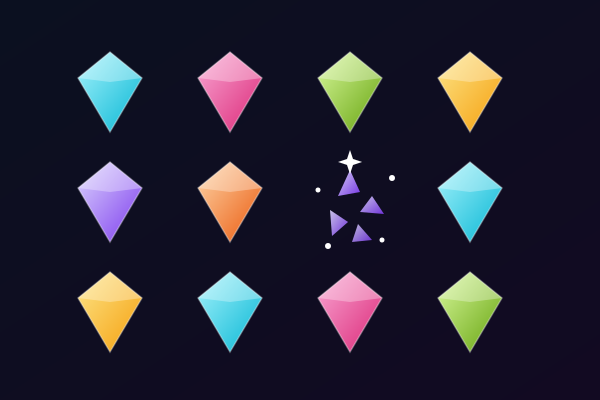
FLASH는 평범한 퀴즈의 순서를 바꿉니다. 먼저 선택지들이 게임 화면 곳곳의 서로 다른 위치에 나타납니다. 잠깐 동안 선택지를 읽고 각각 어디에 있는지 기억하세요. 그다음 답들이 사라지고 보드 위쪽에 문제가 나타납니다. 문제를 읽고 어떤 답이 맞는지 생각한 뒤, 그 답을 봤다고 기억하는 자리를 누르세요. 라운드의 이 단계에서는 답 버튼이 보이지 않습니다. 과목에 대해 아는 것과 위치에 대해 기억하는 것을 모두 활용해 답을 고르게 됩니다.
시작하기 전에 표시 속도를 고르세요. '빠르게'는 답을 2초, '보통'은 3초, '천천히'는 5초 동안 보여 줍니다. 선택한 속도는 답이 화면에 보이는 시간만 정합니다. 문제를 읽거나 위치를 고를 때는 카운트다운이 없습니다. 그래서 문제를 서둘러 풀 필요 없이 시각 기억 도전만 더 빠르게 또는 더 느리게 조절할 수 있습니다. 답 카드는 자유로운 위치에 나타나고 문제마다 자리가 바뀝니다. 같은 답이 늘 익숙한 구석에 있는 것이 아니니, 매번 보드 전체를 새롭게 살펴보세요.
한 세션에는 학습 세트에서 고른 알맞은 객관식 문제가 최대 10개 나옵니다. 위치를 누르면 FLASH가 답들의 위치를 공개하고 어떤 답이 정답이었는지 보여 줍니다. 다시 보지 않고 기억해 낸 정답에는 별이 주어집니다. 도움이 필요하면 답을 다시 보고, 그 문제는 별 없이 연습으로 마무리하세요. 답을 놓쳐도 세션은 끝나지 않습니다. 다음 문제로 넘어간 뒤, 결과 화면에서 놓친 문제를 다시 살펴보세요. 새로운 위치로 다시 플레이하거나 시작 화면으로 돌아가 표시 속도를 바꿀 수 있습니다.
FLASH는 여러분의 학습 문제로 진행되므로, 배우는 과목에 따라 내용도 바뀝니다. 짧게 보여 주는 단계에서는 명확하고 서로 뚜렷이 다른 선택지가 가장 읽기 쉽습니다. 짧은 어휘, 이름, 과학 용어, 연도부터 시작해 보면 좋습니다. 답이 화면에 다 들어가지 않을 만큼 길다면 더 큰 화면을 사용하거나 그 문제를 건너뛸 수 있습니다. 휴대폰에서는 탭하고, 마우스로는 클릭하고, 방향키로 선택 지점을 옮긴 뒤 Enter 키를 눌러도 됩니다. 미리보기 페이지의 샘플 문제로 먼저 해 보고, 내 노트로 만든 세션을 할 준비가 되면 자료를 불러오세요.
FLASH은(는) 이런 분께 딱이에요
퀴즈 연습과 함께 짧은 시각 기억 도전을 즐기는 학생에게 좋습니다. 표시 속도를 조절할 수 있고 답할 때는 시간제한이 없어서, 답의 위치를 기억하는 데 얼마나 부담을 줄지 직접 정할 수 있습니다.
FLASH(으)로 공부하기 좋은 과목
어휘
짧은 단어와 뚜렷이 다른 뜻은 보여 주는 단계에서 훑어보기 쉽고, 문제가 나타난 뒤 떠올리기도 쉽습니다.
과학 용어
관련된 개념 중에서 정답을 고르면서, 각 이름이 어디에 나타났는지 기억하는 연습을 할 수 있습니다.
역사와 지리
인물, 연도, 나라, 장소는 짧은 기억 도전에 알맞은 명확한 선택지가 됩니다.
시험 복습
최대 10문제로 이루어진 짧은 세션으로 학습 세트를 다시 살펴보고, 다시 플레이하기 전에 놓친 답을 복습하세요.
FLASH 플레이 방법
자유로운 위치에 놓인 답이 사라지면 기억으로 위치 찾기
답을 기억할 시간은 2초, 3초, 5초 중 선택
최대 10문제, 답변 시간 제한 없음
답을 다시 보며 연습하고 틀린 문제 복습하기
이런 걸 배워요
능동적 회상
모든 문제가 뇌에서 정보를 직접 꺼내도록 유도해 신경 회로와 장기 기억을 강화해요.
즉각적인 피드백
정답 여부를 바로 알 수 있어요. 틀리면 AI가 정답을 설명해 실수를 배움의 순간으로 바꿔 줘요.
게임화된 동기부여
포인트, 연속 기록, 성장 시스템이 전통적인 공부보다 훨씬 오래 집중하게 해 줘요. 놀이처럼 느껴져서 더 공부하게 돼요.
모든 과목 가능
생물, 역사, 수학, 어학, 시험 대비 — 어떤 자료든 올려 보세요. 노트에 있다면 게임이 됩니다.
게임 정보
FLASH 시작할 준비 되셨나요?
공부 노트를 올리면 AI가 문제를 만들어 드려요. 2분 안에 바로 시작할 수 있고, 어떤 과목이든 가능해요.
신용카드 없이 · 평생 무료 플랜 제공