FLASH AI-læringsspill
Se svarene før spørsmålet. Når de forsvinner, trykker du der det riktige svaret var. Velg visningstempo og svar i ditt eget tempo.
Gratis å spille · Ingen kredittkort nødvendig

Om FLASH
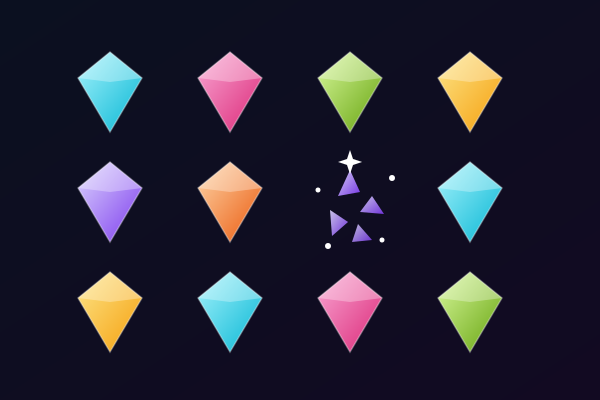
FLASH snur rekkefølgen i en vanlig quiz. Først dukker svaralternativene opp på ulike steder på spillflaten. Du har et kort øyeblikk til å lese dem og huske hvor hvert av dem står. Så forsvinner svarene, og spørsmålet dukker opp over brettet. Les spørsmålet, finn ut hvilket svar som er riktig, og trykk på stedet der du husker at du så det. I denne delen av runden er det ingen synlige svarknapper. Du bruker både det du kan om faget og det du husker om plasseringene når du velger.
Velg visningstempo før du starter. Rask viser svarene i to sekunder, Normal i tre og Rolig i fem. Tempoet du velger, styrer bare hvor lenge svarene er synlige: det er ingen nedtelling når du leser spørsmålet eller velger et sted. Slik kan du gjøre den visuelle hukommelsesutfordringen raskere eller roligere uten at du må skynde deg med selve spørsmålet. Svarkortene dukker opp på frie plasseringer og bytter plass mellom spørsmålene. Det samme svaret er ikke knyttet til et kjent hjørne, så se over hele brettet på nytt hver gang.
En økt bruker opptil ti egnede flervalgsspørsmål fra studiesettet ditt. Når du har trykket, viser FLASH hvor svarene lå og hvilket svar som var riktig. Et riktig valg gir en stjerne når du husket det uten å se en gang til. Trenger du hjelp, kan du vise svarene igjen og fullføre spørsmålet som øving uten stjerne. Bommer du, er ikke økten over. Gå videre til neste spørsmål, og bruk resultatene til å gå gjennom det du bommet på. Du kan spille igjen med nye plasseringer eller gå tilbake til startskjermen for å endre visningstempoet.
FLASH bruker studiespørsmålene dine, så innholdet kan endre seg med faget du lærer. Tydelige, ulike svaralternativer er lettest å lese i den korte visningsfasen. Korte gloser, navn, naturfagsbegreper og årstall er fine å begynne med. Trenger et svar mer plass enn skjermen din har, kan du bruke en større skjerm eller hoppe over spørsmålet. Du kan trykke på mobilen, klikke med musa eller flytte markøren med piltastene og trykke Enter. Prøv eksempelspørsmålene på spillsiden, og last inn ditt eget materiale når du er klar for en økt bygget rundt notatene dine.
Hvem FLASH er for
Elever som liker korte, visuelle hukommelsesutfordringer sammen med quiztrening. Med justerbart visningstempo og ingen tidsfrist på svarene velger du selv hvor mye press du vil ha når du skal huske hvor svarene står.
Beste fag å lese med FLASH
Gloser
Korte ord og tydelige betydninger er lette å få med seg i visningsfasen og å huske når spørsmålet dukker opp.
Naturfagsbegreper
Øv på å velge mellom beslektede begreper mens du husker hvor navnene deres sto.
Historie og geografi
Personer, årstall, land og steder gir tydelige svaralternativer til en kort hukommelsesutfordring.
Eksamensrepetisjon
Bruk en kort økt med opptil ti spørsmål til å repetere et studiesett, og gå gjennom svarene du bommet på før du spiller igjen.
Slik spiller du FLASH
Svar på frie plasseringer, deretter et spørsmål uten synlige svar
Velg 2, 3 eller 5 sekunder til å huske svarene
Opptil 10 spørsmål uten tidsgrense på svar
Se svarene igjen for å øve, og gå gjennom det du bommet på
Hva du lærer
Aktiv gjenkalling
Hvert spørsmål tvinger hjernen til aktivt å hente frem informasjon, og styrker nevrale baner og langtidsminne.
Umiddelbar tilbakemelding
Du vet med en gang om svaret var riktig. AI forklarer det riktige svaret når du tar feil, og gjør feil til læringsøyeblikk.
Gamifisert motivasjon
Poeng, streaks og progresjonssystemer holder deg engasjert lenger enn tradisjonell pugging. Du studerer mer fordi det føles som lek.
Alle fag
Last opp alt studiemateriale: biologi, historie, matematikk, språk, eksamensforberedelse. Hvis det står i notatene, blir det et spill.
Spilldetaljer
Klar til å spille FLASH?
Last opp studienotatene dine, la AI generere spørsmål, og start spillingen på under 2 minutter. Fungerer med alle fag.
Ingen kredittkort nødvendig · Gratisplan tilgjengelig