FLASH
先看答案,再看题目。答案消失后,点击正确答案原来所在的位置。选择显示时间,按自己的节奏作答。
免费游玩 · 无需信用卡

关于 FLASH
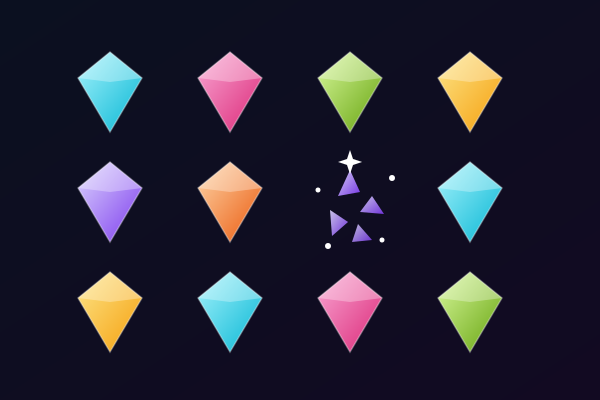
FLASH changes the order of an ordinary quiz. First, the possible answers appear at different positions across the playing area. You have a short moment to read them and remember where each one is. The answers then disappear and the question appears above the board. Read the question, work out which answer is correct, and tap the place where you remember seeing it. There are no visible answer buttons during this part of the round. You use both what you know about the subject and what you remember about the positions to make your choice.
Choose a viewing speed before starting. Quick shows the answers for two seconds, Normal for three, and Calm for five. The selected speed only controls how long the answers remain visible: there is no countdown when you read the question or choose a location. This lets you make the visual memory challenge faster or slower without rushing the question itself. Answer cards appear in free positions and change places between questions. The same answer is not tied to a familiar corner, so take a fresh look at the whole board each time.
A session uses up to ten suitable multiple-choice questions from your study set. After you tap, FLASH reveals the answer locations and shows which answer was correct. A correct choice earns a star when you remembered it without another look. If you need help, show the answers again and finish that question as practice without a star. Missing an answer does not end the session. Continue to the next question, then use the results to revisit what you missed. You can replay with new positions or return to the start screen to change the viewing speed.
FLASH works with your study questions, so the content can change with the subject you are learning. Clear, distinct answer options are easiest to read in the brief viewing phase. Short vocabulary items, names, scientific terms and dates are useful starting points. If an answer needs more room than your screen provides, you can use a larger screen or skip that question. You can tap on a phone, click with a mouse, or move the selection point with the arrow keys and press Enter. Try the sample questions from the preview page, then load your own material when you are ready for a session built around your notes.
FLASH 适合谁
Students who enjoy short visual memory challenges alongside quiz practice. Adjustable viewing speeds and untimed answering let you choose how much pressure to put on remembering the answer positions.
最适合用 FLASH 学习的科目
Vocabulary
Short words and distinct meanings are easy to scan during the viewing phase and recall after the question appears.
Science terminology
Practise choosing between related concepts while remembering where their names appeared.
History and geography
People, dates, countries and places provide clear answer options for a brief memory challenge.
Exam revision
Use a short session of up to ten questions to revisit a study set, then review missed answers before replaying.
如何游玩 FLASH
答案自由分布,消失后凭记忆选择位置
可选择2秒、3秒或5秒来记忆答案
每轮最多10题,作答不限时
再次显示答案进行练习,并回顾错题
你将学到什么
主动回忆
每道题都促使大脑主动提取信息,强化神经通路与长期记忆。
即时反馈
立即知道答案是否正确。答错时 AI 解释正确答案,将错误转化为学习机会。
游戏化激励
积分、连胜与进度系统让你比传统学习方式更投入。学习变得像玩游戏一样有趣。
任意科目
上传任何学习资料,比如生物、历史、数学、语言学习、考试备考。只要在你的笔记里,都能变成游戏。
游戏详情
准备好游玩 FLASH 了吗?
上传学习笔记,让 AI 生成题目,2 分钟内即可开始游戏。适用于任何科目。
无需信用卡 · 永久免费方案可用