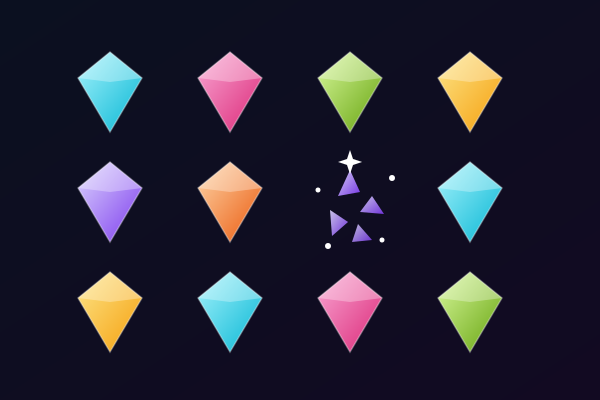
FLASH

問題より先に答えが表示されます。答えが消えたら、正解があった場所をタップ。表示時間を選んで、自分のペースで回答しましょう。

記憶 / パズル1人速さを選べる

無料でプレイ · クレジットカード不要

FLASHのプレイ画面のスクリーンショット

FLASHについて

FLASH changes the order of an ordinary quiz. First, the possible answers appear at different positions across the playing area. You have a short moment to read them and remember where each one is. The answers then disappear and the question appears above the board. Read the question, work out which answer is correct, and tap the place where you remember seeing it. There are no visible answer buttons during this part of the round. You use both what you know about the subject and what you remember about the positions to make your choice.

Choose a viewing speed before starting. Quick shows the answers for two seconds, Normal for three, and Calm for five. The selected speed only controls how long the answers remain visible: there is no countdown when you read the question or choose a location. This lets you make the visual memory challenge faster or slower without rushing the question itself. Answer cards appear in free positions and change places between questions. The same answer is not tied to a familiar corner, so take a fresh look at the whole board each time.

A session uses up to ten suitable multiple-choice questions from your study set. After you tap, FLASH reveals the answer locations and shows which answer was correct. A correct choice earns a star when you remembered it without another look. If you need help, show the answers again and finish that question as practice without a star. Missing an answer does not end the session. Continue to the next question, then use the results to revisit what you missed. You can replay with new positions or return to the start screen to change the viewing speed.

FLASH works with your study questions, so the content can change with the subject you are learning. Clear, distinct answer options are easiest to read in the brief viewing phase. Short vocabulary items, names, scientific terms and dates are useful starting points. If an answer needs more room than your screen provides, you can use a larger screen or skip that question. You can tap on a phone, click with a mouse, or move the selection point with the arrow keys and press Enter. Try the sample questions from the preview page, then load your own material when you are ready for a session built around your notes.

FLASHはこんな人向け

Students who enjoy short visual memory challenges alongside quiz practice. Adjustable viewing speeds and untimed answering let you choose how much pressure to put on remembering the answer positions.

FLASHに最適な科目

Vocabulary

Short words and distinct meanings are easy to scan during the viewing phase and recall after the question appears.

Science terminology

Practise choosing between related concepts while remembering where their names appeared.

History and geography

People, dates, countries and places provide clear answer options for a brief memory challenge.

Exam revision

Use a short session of up to ten questions to revisit a study set, then review missed answers before replaying.

FLASHの遊び方

01

自由な位置に現れる答えを覚え、消えたあとに場所を選ぶ

02

答えを見る時間は2秒・3秒・5秒から選択

03

最大10問、回答の時間制限なし

04

答えを再表示して練習し、間違えた問題を復習

身につくこと

能動的想起

各問題が脳に情報を能動的に取り出させ、神経経路と長期記憶を強化します。

即時フィードバック

答えが正しかったかをすぐに知ることができます。間違えるとAIが正解を説明し、ミスを学習の瞬間に変えます。

ゲーミフィケーションによる動機付け

ポイント、ストリーク、進行システムが従来の勉強より長くあなたを引きつけます。遊びのように感じるから、もっと勉強します。

あらゆる科目

生物学、歴史、数学、語学、試験対策など、どんな教材でもアップロード可能。ノートにある内容は、すべてゲームになります。

ゲーム詳細

プレイヤー数
1人
カテゴリー
記憶 / パズル
難易度
速さを選べる
プラットフォーム
ウェブブラウザ

FLASHをプレイする準備はできましたか?

勉強ノートをアップロードし、AIに問題を生成させ、2分以内にプレイを開始。あらゆる科目に対応。

クレジットカード不要 · 無料プランあり
よくある質問

Do I see the question before the answers?

No. FLASH shows the possible answers first. Once they disappear, the question appears and you tap the remembered location of the correct answer.

Can I change how long the answers stay visible?

Yes. Choose Quick for two seconds, Normal for three seconds or Calm for five seconds. There is no time limit when answering the question.

What happens if I forget an answer location?

You can show the answers again. That question becomes practice without a star, and you can continue the session. After every answer, the game reveals the correct option and its position.

Can FLASH use my own study material?

Yes. Load a multiple-choice study set and FLASH uses up to ten suitable questions. Distinct answer options that fit the screen work best. You can also try the preview demo with sample questions.

Can I play without a mouse?

Yes. Tap the remembered location on a touch screen, or use the arrow keys to move the selection point and press Enter to answer.