Study Garden: Grow Something Good From Your Notes
Answer your study questions to grow a cozy garden. Discover plants, keep your collection, and take turns with a friend on one device.
About Study Garden
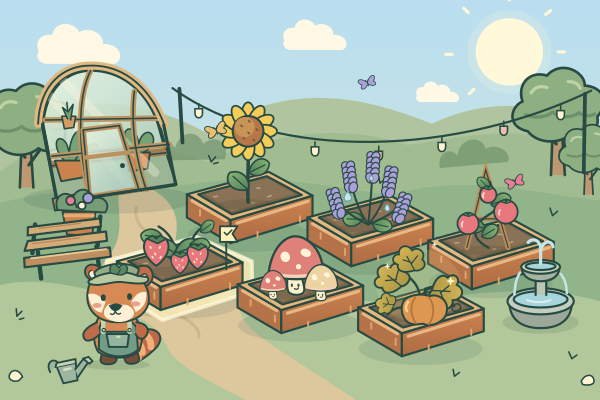
Study Garden turns your study questions into a small illustrated garden. Choose a strawberry, sunflower or lavender seed, pick a bed, and answer a question from your loaded study material. Every correct answer gives the plant one visible growth step. After three correct answers, it blooms and joins your field notes. Pip, the red panda gardener, keeps you company beside a timber greenhouse. The garden waits while you read, so you can take the time you need for long questions and unfamiliar terms.
Plants stay where you left them between visits. As your garden grows, you unlock tomatoes, blueberries, mushrooms, moonflowers and pumpkins. Some blooms have Dewy, Golden or Moonlit appearances, and every new combination remains in your illustrated collection even if you replace the plant in its bed. Butterflies, a reading bench, a little fountain and evening lights arrive at reachable bloom milestones. Morning, Sunset and Night settings are available from the start, letting you choose the mood without changing the questions or the rewards.
You can choose a quick visit of up to twelve different questions or practise the whole loaded study set. Unseen questions come before ones you have already practised, with no repeats inside a visit. If a small set has fewer questions, the game tells you how many there are and uses each once. The optional Learn first setting shows the question and its canonical answer before asking you to recall it. A wrong answer reveals the correct option and offers an explanation; it never removes a plant or reverses its growth. After the visit, you can intentionally review the questions you missed.
Solo play is the complete game. Grow together adds two gardener names and alternates turns on the same screen, with both players contributing to one garden. There are no online rooms or join codes in this version. Signed-in gardens are saved for that account in this browser; guest gardens remain in the current browser tab. The game uses the questions you bring to StudyQuest, so biology, languages, history or other multiple-choice material can all grow the same garden.
Who It's For
Students who enjoy calm collection games and want a visible reason to practise another question. The same-device mode also suits two friends taking turns.
Study Set Ideas
Biology and science
Use the garden as a calm setting for practising terms and concepts from your own science notes.
Languages and vocabulary
Short question-and-answer pairs work well for learn-first review followed by recall.
History and humanities
Untimed questions leave room to read longer prompts and answer choices.
Exam revision
Choose the full study set, then revisit the questions you missed without losing progress.
How to Play Study Garden
A garden that grows with your answers
Saved plants and discoveries
Learn first or practise recall
Solo or same-device turn-taking
What You'll Learn
Active Recall
Every question forces your brain to actively retrieve information, strengthening neural pathways and long-term memory.
Instant Feedback
Know immediately whether your answer was correct. AI explains the right answer when you get it wrong, turning mistakes into learning moments.
Gamified Motivation
Points, streaks, and progression systems keep you engaged longer than traditional studying. You study more because it feels like play.
Any Subject
Upload any study material: biology, history, math, language learning, exam prep. If it's in your notes, it becomes a game.
Game Details
Ready to Play Study Garden?
Upload your study notes, let AI generate questions, and start playing in under 2 minutes. Works with any subject.
No credit card required · Free forever plan available